
Quick phrases
Start with quick phrases and organize frequently used items according to your actual work needs.

Every product detail and button is designed with the user experience in mind

Don't see the app you need? Contact us and we'll help you adapt it

Supports multiple users on one account with cloud data sync
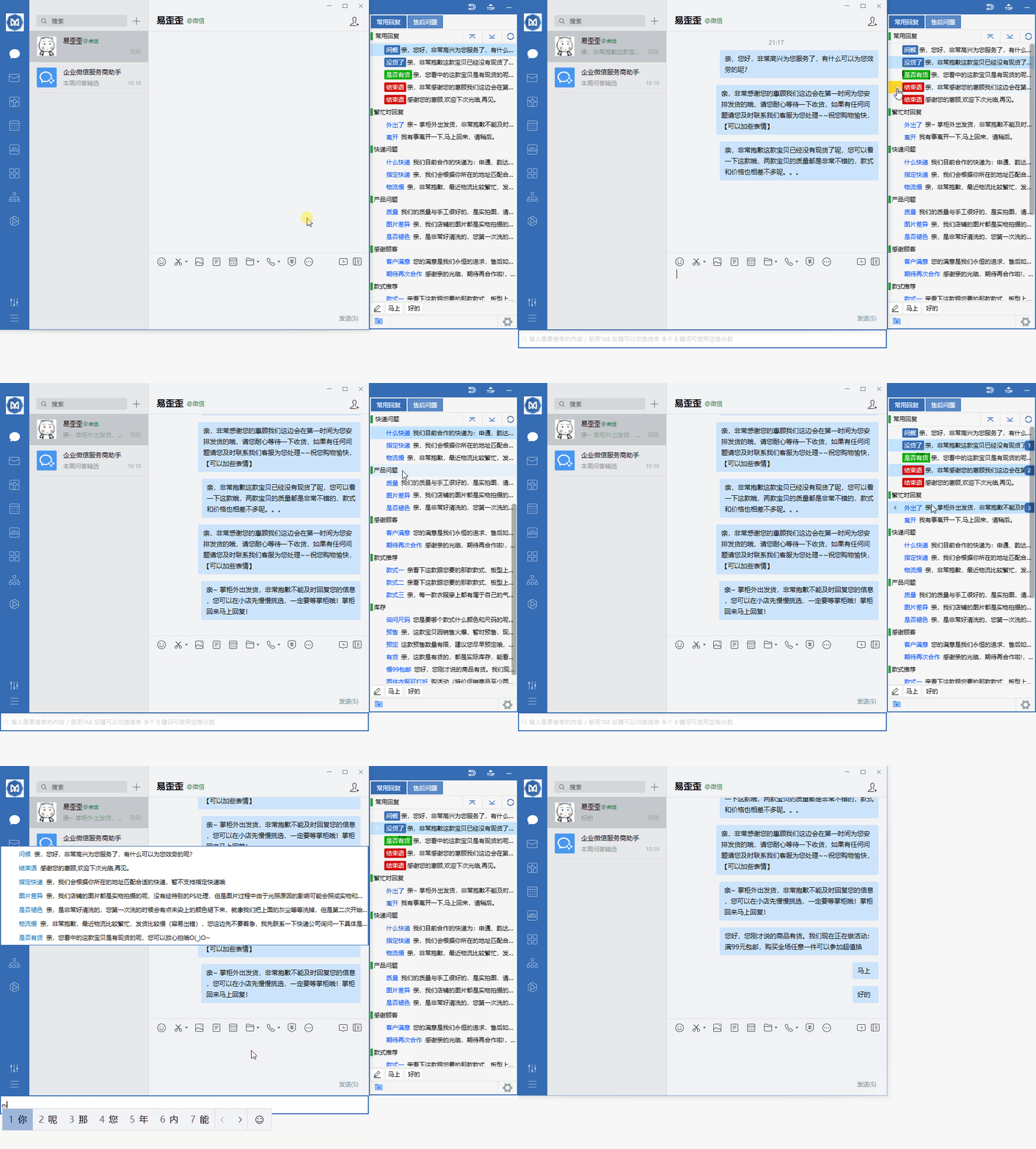
Organize daily customer service communication with reply categories, quick input, and team sync.
Start with quick phrases and organize frequently used items according to your actual work needs.
Combine data grouping with team sync to keep daily operations clearly organized.
Use desktop communication in a familiar interface and adjust your own settings as needed.
View quick phrase options and confirm device and version information before getting started.
Select your device system in the download center and check the corresponding version name.
Open the installation file and follow the on-device installation prompts to complete setup.
Yiwaiwai is designed for everyday communication and lightweight collaboration, helping you switch quickly between computer, phone, and tablet. No complex configuration needed — just log in and continue working on unfinished tasks. Ideal for personal office use, remote assistance, and cross-device file transfer.
Log in with the same account on different devices, and recent conversations and common settings will sync automatically, reducing repeated searching.
Transfer pacing is optimized for everyday network conditions, so small files and text messages arrive quickly with minimal waiting.
View frequently used contacts and to-do items in separate windows, making it easy to communicate while handling materials at the same time.
After installation, open Yiwaiwai and follow the on-screen prompts to log in or create an account. Basic features require no additional configuration. If you need to sync multiple devices, log in with the same account on each device.
Select a file to send in the conversation window, and the recipient can save it directly on another device. It is recommended to transfer large files over a stable network to avoid interruptions that may affect file integrity.